
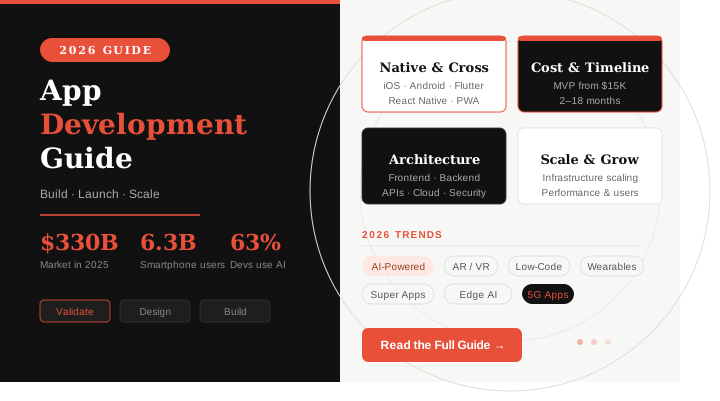
App development is the process of designing, building, testing, and deploying software applications that run on mobile devices, desktop computers, or web browsers. In the context of mobile, it specifically refers to creating software for smartphones and tablets — primarily for the Android (Google Play) and iOS (Apple App Store) platforms.
At its core, app development transforms a business idea or user need into a functional digital product. It encompasses everything from the initial concept and wireframe through engineering and quality assurance to launch and ongoing improvement.
Modern app development is far more than writing code. It is a multidisciplinary practice involving user experience research, interface design, backend engineering, cloud infrastructure, security architecture, and continuous performance analytics — all working together to create an application that users choose to open every day.
Why Businesses Build Mobile Apps
Organisations invest in mobile apps for a range of strategic and operational reasons:
- Direct customer engagement — push notifications and in-app messaging reach users more reliably than email
- Revenue generation — in-app purchases, subscriptions, and mobile commerce account for a growing share of global digital spend
- Brand loyalty — a well-designed app keeps a brand front-of-mind and reduces churn
- Operational efficiency — internal enterprise apps automate workflows and reduce manual overhead
- Data collection — apps generate rich behavioral data that can improve products, personalization, and marketing
- Competitive positioning — in many sectors, having no mobile app is now a competitive disadvantage
The Mobile App Ecosystem in 2026
The scale of the mobile app market in 2026 is staggering. Understanding this landscape is critical context for any app development decision.
- The global mobile application market was valued at approximately $330 billion in 2025 and is projected to reach $1.23 trillion by 2035, growing at a CAGR of roughly 14%
- There are an estimated 6.3 billion smartphone users worldwide — approximately 78% of the global population
- Global users are projected to spend 5.5 trillion hours in apps by the end of 2026
- The Google Play Store is expected to exceed 4 million apps by 2026; the Apple App Store hosts approximately 2.3 million
- Daily app downloads worldwide average roughly 860 million
- 63% of mobile app developers now integrate AI features into their apps
- Low-code platforms are growing at a 65% CAGR, enabling faster development with 40–60% reduced costs
These numbers underscore a fundamental reality: the world has gone mobile-first. For any business or product team building a digital product, understanding app development is no longer optional.
Types of App Development
Choosing the right type of app development is one of the most consequential early decisions you will make. Each approach carries different tradeoffs in cost, performance, time to market, and user experience.
1. Native App Development
Native apps are built specifically for a single operating system — either Android or iOS — using the platform’s official programming language and development tools.
Android Native Development
- Primary language: Kotlin (modern, preferred) or Java (legacy)
- IDE: Android Studio
- Distribution: Google Play Store
iOS Native Development
- Primary language: Swift (modern, preferred) or Objective-C (legacy)
- IDE: Xcode
- Distribution: Apple App Store
Pros of Native Development
- Maximum performance — direct access to device hardware and OS APIs
- Best-in-class user experience, following platform-specific design guidelines (Material Design for Android and Human Interface Guidelines for iOS)
- Full access to device features (camera, GPS, Bluetooth, NFC, biometrics)
- Better security, as platform vendors enforce code review and sandboxing
- Smoother animations and faster rendering
Cons of Native Development
- Two separate codebases, effectively doubling development cost and maintenance effort
- Requires platform-specific expertise on each team
- Longer time to market when building for both platforms simultaneously
Best Use Cases
- High-performance applications (gaming, AR, real-time video)
- Apps that depend heavily on device hardware
- Consumer-facing apps where UX is a core differentiator
- Financial and healthcare apps requiring maximum security
2. Cross-Platform App Development
Cross-platform frameworks allow developers to write a single codebase that compiles to native or near-native apps on both Android and iOS.
Flutter
Flutter, developed by Google, uses the Dart programming language and compiles directly to native ARM code, rendering its own widgets rather than relying on native UI components.
Pros
- Single codebase for iOS, Android, web, and desktop
- Highly performant — compiled to native code, not interpreted
- Rich widget library with consistent UI across platforms
- The hot reload feature speeds up development significantly
- Growing ecosystem and strong Google backing
Cons
- Dart is less widely known than JavaScript or Python
- App binary sizes tend to be larger
- Fewer third-party plugins than React Native (though gap is narrowing)
- UI does not automatically match platform conventions
Best Use Cases
- Startups needing fast, cost-efficient cross-platform delivery
- Apps where design consistency across platforms is critical
- MVPs and product prototypes
React Native
React Native, developed by Meta (Facebook), uses JavaScript and React to build mobile apps. Unlike Flutter, it bridges to native platform components rather than rendering its own.
Pros
- JavaScript expertise transfers from web development
- Large community and extensive third-party library ecosystem
- Native look and feel, as it uses actual native components
- “Learn once, write anywhere” philosophy
- Backed by Meta with strong open-source community
Cons
- Bridge architecture can create performance bottlenecks (though the new architecture largely addresses this)
- Debugging can be more complex than pure native
- Some advanced native features require writing native modules
Best Use Cases
- Teams with existing JavaScript/React expertise
- Apps that prioritize developer velocity and code sharing
- Social, content, and e-commerce apps
Cross-Platform Comparison Table
| Feature | Flutter | React Native |
|---|---|---|
| Language | Dart | JavaScript |
| Performance | Near-native (compiled) | Near-native (bridged) |
| UI Rendering | Custom widget engine | Native components |
| Community Size | Large, growing fast | Very large, mature |
| Code Sharing | ~95% | ~80–90% |
| Hot Reload | Yes | Yes |
| Best For | Consistent UI, startups | JS teams, broad ecosystems |
3. Hybrid App Development
Hybrid apps are essentially web applications (HTML, CSS, JavaScript) wrapped in a native container (like Apache Cordova or Ionic Capacitor). They run inside a WebView component and can access native device APIs through plugins.
Pros
- Single codebase for all platforms
- Web developers can build mobile apps without learning new languages
- Fastest time to market for simple apps
- Lower initial development cost
Cons
- Lower performance than native or cross-platform compiled approaches
- Limited access to certain native APIs
- UI often feels less polished than native
- WebView rendering can cause inconsistencies across devices
Best Use Cases
- Internal enterprise tools where performance is less critical
- Simple informational apps
- Rapid prototypes
- Small budgets with limited technical resources
4. Progressive Web Apps (PWAs)
PWAs are web applications that use modern browser capabilities to deliver app-like experiences. They are accessed through a browser but can be installed on the home screen and work offline.
Pros
- No app store submission or approval required
- Single codebase works across all devices and platforms
- Discoverable via search engines, reducing distribution friction
- Automatic updates without user action
- Lower development and maintenance cost than native apps
Cons
- Limited access to native device features (especially on iOS, where Apple restricts PWA capabilities)
- Cannot be listed in Apple App Store (though Google Play supports some PWAs)
- Performance ceiling below native apps
- Push notification support is inconsistent across platforms
Best Use Cases
- Content-heavy sites (news, blogs, e-commerce) seeking mobile experience
- Businesses that cannot justify native app development costs
- Emerging market audiences with limited device storage
Approach Selection Decision Guide
| Priority | Recommended Approach |
|---|---|
| Maximum performance | Native |
| Single budget, dual platform | Flutter or React Native |
| Web team, simple features | Hybrid or PWA |
| SEO + app-like UX | PWA |
| Enterprise internal tools | Hybrid or PWA |
| Gaming / AR / hardware | Native |
The App Development Process
A successful mobile application is the result of a disciplined, iterative process. Rushing any stage creates compounding problems downstream. Here is a comprehensive walkthrough of the complete app development lifecycle.
Stage 1: Idea Validation
Before a single line of code is written, validate that your idea solves a real problem for real people.
Actionable steps:
- Define the core problem your app solves in one sentence
- Identify your primary user persona — who has this problem, and how urgently?
- Conduct 10–20 user interviews to test your assumptions
- Build a simple landing page describing your app concept and measure sign-up intent
- Assess monetisation potential: who will pay, how much, and how often?
A validated idea is one where real potential users confirm the problem, express willingness to use a solution, and provide feedback that shapes what you build. Skipping this step is the single leading cause of app failure.
Stage 2: Market Research
Understanding the market landscape before you build prevents costly strategic errors.
Key research activities:
- Quantify the total addressable market (TAM) for your category
- Identify 5–10 direct and indirect competitors
- Analyze reviews on app stores to surface what users love and hate about existing solutions
- Study monetization models across competitors
- Evaluate regulatory requirements for your target sector (healthcare, finance, education)
Use tools like App Annie, Sensor Tower, and SimilarWeb to gather competitive app intelligence.
Stage 3: Competitor Analysis
A thorough competitor analysis informs both your differentiation strategy and your feature roadmap.
Competitor analysis checklist:
- Download and use each competitor’s app
- Read every 1-star and 5-star review
- Map their core feature sets
- Assess their onboarding experience
- Note their pricing/monetization model
- Identify gaps and pain points no competitor addresses
- Determine your unique value proposition
Stage 4: Defining Features and Product Scope
Scope is where most projects derail. Defining the right features for your first version is a critical discipline.
Principles for feature definition:
- Prioritize ruthlessly using the MoSCoW method: Must Have, Should Have, Could Have, Won’t Have
- Focus your MVP on the single core value proposition
- Defer every “nice to have” to a later version
- Create a product roadmap that sequences features logically
- Write user stories for every feature: “As a [user], I want to [action] so that [benefit].”
An MVP should do one thing extremely well — not ten things adequately.
Stage 5: Wireframing
Wireframes are low-fidelity structural blueprints of your app’s screens. They define layout, information hierarchy, and user flow without aesthetic detail.
Tools: Figma, Balsamiq, Whimsical, Miro
Best practices:
- Map every user journey from entry to conversion
- Design for the most common paths first
- Identify all edge cases (empty states, error states, loading states)
- Share wireframes with real users for feedback before investing in high-fidelity design
- Keep wireframes grayscale to prevent distraction from structural decisions
Stage 6: UI/UX Design
UI (User Interface) design adds visual treatment to wireframe structures. UX (User Experience) design ensures every interaction is intuitive, efficient, and delightful.
Design deliverables:
- High-fidelity mockups for all screens and states
- Interactive prototype for user testing
- Design system / component library
- Style guide (typography, color palette, iconography, spacing)
- Accessibility review (contrast ratios, touch target sizes, screen reader compatibility)
Design principles to uphold:
- Follow platform conventions (Material Design 3 for Android, Human Interface Guidelines for iOS)
- Maintain consistent spacing and typography hierarchy
- Design for accessibility — not as an afterthought, but from the start
- Ensure all interactive elements meet the 44×44pt minimum touch target
- Test designs with users before handing off to development
For deeper guidance on creating accessible digital products, see ‘What Is Website Accessibility? (Standards + How to Make Your Website Accessible).
Stage 7: Front-End Development
The front end is everything a user sees and interacts with. Front-end developers translate design files into functional app screens.
Key responsibilities:
- Implement screens according to design specifications
- Build reusable UI component libraries
- Handle navigation and routing logic
- Manage client-side state (user data, session, UI state)
- Integrate with back-end APIs
- Implement animations and transitions
- Ensure responsive layouts across device sizes
Quality standards:
- Component-based architecture for reusability
- Strict separation of concerns (UI logic vs. business logic)
- Adherence to platform performance budgets
- Accessibility compliance from the first build
Stage 8: Back-End Development
The back end is the server-side layer that stores data, enforces business logic, manages authentication, and powers the app’s dynamic features.
Key components:
- API server — processes requests from the mobile client and returns responses
- Business logic layer — applies rules and workflows specific to your product
- Database — stores user data, app content, transactional records
- Authentication service — manages user identity and sessions
- File/media storage — handles uploads (images, documents, videos)
- Job queue — manages background tasks (email sending, data processing)
- Caching layer — reduces database load and improves response times
Popular back-end stacks:
- Node.js with Express or Fastify
- Python with Django or FastAPI
- Ruby on Rails
- Go for high-throughput services
- Firebase for serverless, rapid-iteration products
Stage 9: API Integration
Modern apps rarely exist in isolation — they integrate with external services through APIs (Application Programming Interfaces).
Common third-party integrations:
- Payment gateways (Stripe, PayPal, Razorpay)
- Authentication providers (Google, Apple, Facebook login)
- Maps and location (Google Maps, Mapbox)
- Analytics (Mixpanel, Amplitude, Firebase Analytics)
- Push notifications (Firebase Cloud Messaging, APNs)
- Communication (Twilio for SMS, SendGrid for email)
- Cloud storage (AWS S3, Google Cloud Storage)
- AI services (OpenAI, Google Vertex AI, AWS Bedrock)
From an architectural perspective on API approaches, this resource on GraphQL vs REST APIs Explained for Modern Web Development provides valuable context for your integration strategy.
Best practices for API integration:
- Use environment variables for all API keys — never hardcode credentials
- Implement retry logic and graceful error handling
- Cache API responses where appropriate to reduce latency and cost
- Version your own APIs to avoid breaking changes during updates
Stage 10: Testing
Testing is non-negotiable. Apps that launch with critical bugs erode user trust immediately, and recovery is difficult.
Testing types for mobile apps:
| Test Type | Purpose | Tools |
|---|---|---|
| Unit Testing | Test individual functions/components in isolation | Jest, XCTest, JUnit |
| Integration Testing | Test interactions between components/services | Detox, Espresso, XCUITest |
| UI/Functional Testing | Simulate real user interactions | Appium, Maestro |
| Performance Testing | Measure speed, memory, battery usage | Firebase Test Lab, Android Profiler |
| Security Testing | Identify vulnerabilities | OWASP ZAP, Burp Suite |
| Usability Testing | Real users complete tasks and provide feedback | UserTesting, Lookback |
| Beta Testing | Staged release to real users before full launch | TestFlight, Google Play Internal Testing |
Testing checklist before launch:
- All critical user flows tested end-to-end
- Edge cases and error states handled gracefully
- Performance tested on low-end devices
- Security scan completed
- Accessibility tested with screen readers
- Beta testing with real users completed and feedback incorporated
Stage 11: Deployment
App deployment involves submitting your application to the relevant app stores and managing the release process.
Apple App Store submission requirements:
- Valid Apple Developer Program membership ($99/year)
- App meets App Store Review Guidelines
- All required metadata: screenshots, descriptions, privacy policy
- Privacy nutrition labels accurately reflect data usage
- Review time: typically 24–48 hours (can be longer)
Google Play Store submission requirements:
- Valid Google Play Developer account ($25 one-time fee)
- App meets Google Play Policies
- Content rating questionnaire completed
- Target API level meets current requirements
- Review time: typically a few hours to 3 days
Release strategies:
- Full launch: release to all users simultaneously
- Staged rollout: release to a percentage of users first (e.g., 1% → 10% → 100%)
- Phased rollout by geography: launch in lower-risk markets first
- A/B testing: release variants to measure impact before committing
For guidance on related mobile optimization principles, see How to Optimize Your Website for a Mobile-First Future
Stage 12: Post-Launch Maintenance and Iteration
Launch is not the finish line — it is the beginning. Apps require continuous investment to remain competitive.
Post-launch maintenance activities:
- Monitor crash reports and fix critical bugs within 24–48 hours
- Track key performance indicators (DAU, retention, conversion, churn)
- Gather user feedback through in-app surveys and reviews
- Release regular updates (bug fixes, performance improvements, new features)
- Update SDKs and dependencies to maintain security and compatibility
- Monitor API and server performance and costs
Healthy maintenance cadence:
- Critical bug fix releases: within 24–48 hours
- Minor improvement releases: every 2–4 weeks
- Major feature releases: every 6–12 weeks
Mobile App Architecture
A well-designed app architecture is the foundation of performance, maintainability, and scalability. Poor architecture choices create technical debt that becomes exponentially expensive to fix.
Frontend Layer
The frontend handles everything the user sees and interacts with. Well-structured mobile frontends follow these architectural patterns:
- MVVM (Model-View-ViewModel) — dominant in iOS (SwiftUI) and Android (Jetpack Compose) development
- MVC (Model-View-Controller) — foundational pattern, simpler but less scalable
- Clean Architecture — strict separation of presentation, domain, and data layers; best for large-scale apps
Key principles: unidirectional data flow, separation of concerns, and testability at every layer.
Backend Layer
The backend architecture determines how well your app scales. Common patterns include:
- Monolithic architecture — single deployable unit; simple to start, harder to scale
- Microservices architecture — independent services for each domain (auth, payments, notifications); highly scalable but complex to operate
- Serverless architecture — function-based compute (AWS Lambda, Google Cloud Functions); excellent for variable workloads and rapid development
API Layer
APIs are the contract between your frontend and backend. Design them carefully:
- REST (Representational State Transfer) — stateless, resource-based, widely understood; best for most use cases
- GraphQL — flexible query language; best when clients need control over what data they fetch
- WebSockets — for real-time bidirectional communication (chat, live updates)
- gRPC — high-performance binary protocol; best for service-to-service communication
Database Layer
| Database Type | Examples | Best For |
|---|---|---|
| Relational (SQL) | PostgreSQL, MySQL | Structured data, complex queries, transactions |
| Document (NoSQL) | MongoDB, Firestore | Flexible schemas, rapid iteration |
| Key-Value | Redis, DynamoDB | Caching, sessions, high-speed lookups |
| Search | Elasticsearch, Algolia | Full-text search, faceted filtering |
| Time-Series | InfluxDB, TimescaleDB | Analytics, IoT data, metrics |
Cloud Infrastructure
Major cloud providers offer comprehensive app infrastructure:
- AWS — largest ecosystem, most mature services; ideal for enterprises and complex architectures
- Google Cloud Platform — strong ML/AI services, Firebase integration; popular with mobile-first teams
- Microsoft Azure — enterprise-grade, strong Active Directory integration
- Firebase — Google’s mobile backend as a service; ideal for startups and MVPs
Security Architecture
Security must be embedded at every layer, not added on top:
- Transport security: TLS 1.3 for all network communication
- Authentication: OAuth 2.0 / OpenID Connect; multi-factor authentication
- Authorization: role-based access control (RBAC)
- Data at rest: AES-256 encryption for sensitive stored data
- Secret management: environment-based configuration (never hardcoded keys)
- API gateway: rate limiting, IP filtering, DDoS protection
Technologies Used in App Development
Technology Comparison Table: Mobile Frameworks
| Technology | Type | Language | Performance | Learning Curve | Community |
|---|---|---|---|---|---|
| Swift | Native iOS | Swift | Excellent | Medium | Large |
| Kotlin | Native Android | Kotlin | Excellent | Medium | Large |
| Flutter | Cross-Platform | Dart | Very Good | Medium | Large, Fast-Growing |
| React Native | Cross-Platform | JavaScript | Good | Low–Medium | Very Large |
| Ionic | Hybrid | JS/HTML/CSS | Moderate | Low | Medium |
Technology Comparison Table: Back-End
| Technology | Language | Strengths | Best For |
|---|---|---|---|
| Node.js | JavaScript | Real-time, I/O-heavy, large npm ecosystem | APIs, real-time apps, startups |
| Python (Django/FastAPI) | Python | Rapid development, AI/ML integration | Data-heavy apps, ML-powered features |
| Firebase | N/A (BaaS) | Zero backend setup, real-time DB, auth | MVPs, small teams, real-time features |
| PostgreSQL | SQL | ACID compliance, complex queries | Financial apps, relational data |
| MongoDB | NoSQL | Flexible schema, horizontal scaling | Content apps, variable data structures |
Technology Comparison Table: Cloud & Infrastructure
| Platform | Strengths | Ideal For |
|---|---|---|
| AWS | Breadth of services, global regions, mature tooling | Large-scale enterprise apps |
| Google Cloud | Firebase integration, AI/ML, BigQuery | Mobile-first, data-intensive apps |
| Firebase | Turnkey mobile backend, real-time sync, auth | MVPs, small apps, rapid prototyping |
| MongoDB Atlas | Managed NoSQL, global clusters | Document-oriented applications |
App Development Cost
App development cost is one of the most searched questions in this industry — and one of the most misunderstood. Cost depends on a complex interaction of variables.
Factors That Affect App Development Cost
1. Complexity and Feature Set
The more features your app has, the more engineering time it requires. A simple CRUD app bears no comparison to an app with real-time video, AI recommendations, and payment processing.
2. App Type
Native development costs significantly more than cross-platform because it requires two separate codebases. A Flutter or React Native app can reduce development cost by 30–50% compared to building separate native apps.
3. Design Requirements
Custom UI/UX design with animations and unique visual systems costs more than adapting standard component libraries.
4. Team Location and Model
Hourly rates vary dramatically by region:
| Team Location | Average Hourly Rate |
|---|---|
| United States / Canada | $100–$200/hr |
| Western Europe | $70–$150/hr |
| Eastern Europe | $40–$80/hr |
| India | $20–$50/hr |
| Latin America | $35–$70/hr |
5. Integrations
Third-party integrations (payment gateways, maps, CRM, ERP) add time and cost. Complex integrations with legacy enterprise systems are particularly expensive.
6. Security Requirements
Healthcare (HIPAA), financial (PCI-DSS), and government applications carry additional compliance costs.
7. Ongoing Maintenance
Plan for 15–20% of the initial development cost annually for maintenance, updates, and server costs.
Estimated App Development Cost Ranges
| App Type | Description | Estimated Cost |
|---|---|---|
| MVP / Prototype | Core feature only, 3–5 screens, basic backend | $15,000–$50,000 |
| Startup App | 10–20 screens, standard integrations, one platform | $50,000–$150,000 |
| Business App | Both platforms, custom design, multiple integrations | $100,000–$300,000 |
| Enterprise App | Complex workflows, enterprise integrations, high security | $300,000–$1,000,000+ |
Note: These ranges reflect development costs only. Factor in design, QA, project management, infrastructure, and maintenance when planning total investment.
Cost-Saving Strategies
- Build an MVP first and validate before investing in the full product
- Choose cross-platform development (Flutter/React Native) over dual native when appropriate
- Use Firebase or similar BaaS platforms to reduce backend engineering costs
- Leverage open-source libraries and SDKs rather than building from scratch
- Establish a clear, detailed specification before development begins to avoid scope creep
App Development Timeline
Realistic timelines prevent misaligned expectations and failed projects. The following ranges assume a competent, focused development team.
Timeline by App Complexity
| App Type | Description | Estimated Timeline |
|---|---|---|
| Simple App | 5–10 screens, minimal backend, standard auth | 2–4 months |
| Medium App | 10–25 screens, custom backend, 3–5 integrations | 4–8 months |
| Complex App | 25+ screens, complex backend, multiple integrations, AI features | 8–18 months |
| Enterprise App | Custom architecture, legacy integrations, compliance requirements | 12–24+ months |
Phase-by-Phase Timeline Breakdown
| Phase | Simple App | Medium App | Complex App |
|---|---|---|---|
| Discovery & Planning | 1–2 weeks | 2–4 weeks | 4–8 weeks |
| UI/UX Design | 2–3 weeks | 3–6 weeks | 6–12 weeks |
| Front-End Development | 3–5 weeks | 6–10 weeks | 12–24 weeks |
| Back-End Development | 2–4 weeks | 5–10 weeks | 12–20 weeks |
| Testing & QA | 1–2 weeks | 2–4 weeks | 4–8 weeks |
| App Store Submission | 1 week | 1 week | 1–2 weeks |
Expert insight: Always add a 20% buffer to timeline estimates. Unexpected technical challenges, third-party API issues, and scope refinements are near-universal on real projects.
Essential Features of Successful Apps
Regardless of industry, the most successful mobile apps share a set of core capabilities that users now expect as standard.
1. User Authentication
A secure, frictionless sign-in experience is foundational. Best practices include:
- Social login (Google, Apple, Facebook) for faster onboarding
- Email + password as a fallback
- Biometric authentication (Face ID, fingerprint) for returning users
- Multi-factor authentication for sensitive accounts
- Forgot password/account recovery flows
2. Push Notifications
Push notifications have a direct correlation with retention when used thoughtfully. Rules for effective notifications:
- Request permission at the right moment (after the user has experienced value, not on first launch)
- Personalize notifications based on user behavior
- Allow granular notification preferences
- Respect frequency — over-notification is the top reason users disable notifications or uninstall apps
3. Analytics
In-app analytics transform data into product decisions. Instrument from day one:
- Track event-based user actions (screen views, taps, conversions)
- Measure user funnels to identify drop-off points
- Monitor session length, DAU/MAU, and retention cohorts
- Set up crash reporting (Firebase Crashlytics, Sentry)
- A/B test features and UI variants
4. In-App Payments
Monetisation through payments requires the following:
- Integration with App Store / Google Play billing APIs (mandatory for most digital goods)
- Support for subscriptions, one-time purchases, and in-app purchases
- Payment security compliance (PCI-DSS)
- Clear pricing, trial periods, and cancellation flows
- Receipt validation to prevent fraud
5. Search
For any app with content or a catalogue at scale, search is critical:
- Implement full-text search using Elasticsearch or Algolia
- Add filters and facets for content-heavy apps
- Use autocomplete to guide users
- Track search queries to understand intent gaps
6. Offline Access
Apps that work without connectivity dramatically outperform those that don’t in markets with inconsistent internet:
- Cache frequently accessed content locally
- Queue user actions when offline and sync when connectivity resumes
- Display clear offline states rather than broken UIs
7. AI Features
AI-powered capabilities are now a table-stakes differentiator:
- Personalization: recommender systems that surface relevant content
- Natural language search and chatbots: conversational interfaces
- Computer vision: image recognition, scanning, visual search
- Predictive features: smart defaults, anticipatory UI
8. Security
Security is not a feature — it is a prerequisite. See the dedicated section below.
App Security Best Practices
Security failures in mobile apps can result in data breaches, regulatory fines, legal liability, and permanent reputational damage. Security must be designed in, not bolted on.
Encryption
- Encrypt all data in transit using TLS 1.3
- Encrypt sensitive data at rest using AES-256
- Never store sensitive data (passwords, tokens, PII) in plain text on a device.
- Use the platform’s Keychain (iOS) or Keystore (Android) for credential storage
Authentication and Authorization
- Implement OAuth 2.0 with PKCE for mobile OAuth flows
- Use short-lived JWT tokens (15–60 minutes) with refresh token rotation
- Enforce multi-factor authentication for sensitive operations
- Implement role-based access control — users should only access data they are authorized to see
- Invalidate sessions server-side on logout
Secure APIs
- Validate and sanitize all inputs on the server side — never trust client data
- Implement rate limiting on all API endpoints
- Use an API gateway to centralize security controls
- Avoid exposing internal system details in error messages
- Regularly audit API endpoints for broken object-level authorization (BOLA/IDOR vulnerabilities — the most common mobile API security flaw)
Data Privacy and Compliance
- Collect only the data you actually need (data minimization principle)
- Publish a clear, accurate privacy policy
- Comply with relevant regulations: GDPR (Europe), CCPA (California), PDPA (various Asian markets)
- Implement data retention and deletion capabilities
- Obtain explicit user consent before collecting sensitive data
- Honor user requests for data export and deletion
Mobile-Specific Security Measures
- Implement certificate pinning to prevent man-in-the-middle attacks
- Obfuscate compiled code to resist reverse engineering
- Detect and respond to jailbroken/rooted devices appropriately
- Avoid logging sensitive data in production builds
- Conduct regular penetration testing against OWASP Mobile Top 10
Common App Development Mistakes
Understanding where projects fail is as valuable as knowing how they succeed. The following 15 mistakes are responsible for the majority of failed app development efforts.
Mistake 1: Skipping Idea Validation
Why it happens: Founders are in love with their idea and assume others will be too.
Consequence: Building a product nobody wants — the most expensive mistake in software development.
Prevention: Conduct structured user research before writing a single line of code. Use lean validation methods (landing pages, mockup tests, user interviews) to test assumptions cheaply.
Mistake 2: Trying to Build Everything at Once
Why it happens: Stakeholders want all features; it feels more impressive to have a full product.
Consequence: Overspent budgets, missed timelines, and an unfocused product that does many things poorly.
Prevention: Commit to a true MVP. Define the single core value your first version delivers and defer everything else.
Mistake 3: Neglecting UX Research
Why it happens: Teams prioritise features over usability or assume they already know what users want.
Consequence: Low adoption, high churn, poor reviews, and costly redesigns post-launch.
Prevention: Conduct user interviews, usability tests, and prototype testing at every major design milestone.
Mistake 4: Choosing the Wrong Technology Stack
Why it happens: Decisions based on team familiarity rather than project requirements, or on trends rather than suitability.
Consequence: Performance problems, scalability ceilings, security vulnerabilities, or excessive ongoing cost.
Prevention: Evaluate technology choices against your specific requirements: scale, performance, team capability, and long-term maintainability.
Mistake 5: Poor API Design
Why it happens: Backend developers focus on making it work without planning for how it will be consumed.
Consequence: Frontend teams struggle to integrate; API changes break the app; over-fetching creates performance problems.
Prevention: Design APIs contract-first using OpenAPI specifications. Involve front-end engineers in API design discussions.
Mistake 6: Inadequate Testing Before Launch
Why it happens: Pressure to launch creates temptation to cut testing corners.
Consequence: Critical bugs in production, 1-star reviews on launch day, and urgent post-launch scrambles.
Prevention: Define a non-negotiable pre-launch test checklist. Invest in automated testing from day one.
Mistake 7: Ignoring Performance on Low-End Devices
Why it happens: Development happens on high-end developer devices; performance issues on older hardware go undetected.
Consequence: Large segments of your potential user base experience a slow, frustrating app.
Prevention: Test on the lowest-end devices in your target demographic. Profile performance continuously during development.
Mistake 8: Treating Security as an Afterthought
Why it happens: Security adds time and cost, and its absence isn’t immediately visible.
Consequence: Data breaches, regulatory fines, legal liability, and permanent reputational damage.
Prevention: Build a security review into every development phase. Follow the OWASP Mobile Security Testing Guide.
Mistake 9: Not Planning for Scale
Why it happens: Early-stage teams focus on launching, not on what happens if they succeed.
Consequence: the app goes down under load at the worst possible moment — a viral moment, a big marketing push.
Prevention: Design your architecture with at least 10x your expected initial load in mind. Use auto-scaling cloud infrastructure from the start.
Mistake 10: Unclear App Store Optimization Strategy
Why it happens: Teams focus entirely on building and forget that discoverability in app stores is a distinct discipline.
Consequence: A great app that nobody finds.
Prevention: Treat App Store Optimisation (ASO) with the same rigour as SEO. Research keywords, optimise titles and descriptions, and use high-quality screenshots and preview videos. For broader context, see this technical SEO checklist.
Mistake 11: Ignoring Analytics Setup
Why it happens: Analytics seems like something to add later.
Consequence: Launching without instrumentation means making product decisions without data — flying blind.
Prevention: Define your key metrics and analytics event plan before development begins. Instrument analytics in the first sprint.
Mistake 12: Poor Onboarding Experience
Why it happens: Builders understand their own product and underestimate how confusing it is for new users.
Consequence: high early churn — users who download but never activate.
Prevention: Design and test your onboarding flow with users who have never seen the product. Measure drop-off at each onboarding step and optimise relentlessly.
Mistake 13: Underestimating Maintenance Cost
Why it happens: Cost models focus on build cost; ongoing maintenance is overlooked.
Consequence: App deteriorates as OS updates break features, security vulnerabilities go unpatched, and user reviews decline.
Prevention: Budget 15–20% of initial development cost annually for maintenance. Account for it in your financial model from day one.
Mistake 14: Insufficient Accessibility
Why it happens: Accessibility is perceived as edge-case effort rather than standard practice.
Consequence: Exclusion of users with disabilities, potential legal liability in some jurisdictions, and lower overall quality.
Prevention: Design and build to WCAG 2.1 AA standards. Test with screen readers (VoiceOver on iOS, TalkBack on Android).
Mistake 15: Launching Without a Distribution Strategy
Why it happens: Teams assume app store listings alone will drive downloads.
Consequence: Launches quietly with zero traction despite a quality product.
Prevention: Develop your go-to-market plan before development completes. Build an audience, engage early adopters, and plan your launch campaign in parallel with development. Leverage social media marketing and content channels to build pre-launch momentum.
Mobile App Trends for 2026
The mobile app landscape is evolving faster than at any point in its history. Understanding where the industry is heading helps product teams make decisions that age well.
1. AI-Powered and Generative AI Applications
AI integration is now expected, not exceptional. Currently, 63% of mobile app developers integrate AI features into their applications, and 70% use AI to improve user experience. The next frontier is generative AI — apps that create content, generate personalised responses, and power conversational interfaces in real time. AI-powered features that are becoming standard include:
- Smart search with natural language processing
- Personalized content and product recommendations
- Automated content generation (text, images, summaries)
- In-app AI assistants and chatbots
- Predictive user behavior modeling
2. Voice Interfaces and Conversational UX
Voice is becoming a primary interaction modality. As natural language processing improves, users increasingly prefer voice commands for search, navigation, and data entry — particularly for accessibility and hands-free contexts.
3. Augmented Reality (AR) and Immersive Experiences
AR capabilities, now native in both iOS (ARKit) and Android (ARCore), are expanding beyond novelty into practical utility: furniture visualisation in e-commerce, medical imaging assistance, navigation overlays, and immersive training applications. As Apple Vision Pro and competing spatial computing devices mature, developers who understand spatial UI have a significant advantage.
4. Internet of Things (IoT) Integration
Mobile apps increasingly serve as the control plane for connected devices — smart home systems, industrial sensors, wearables, and medical devices. Building apps that communicate reliably with IoT hardware requires understanding Bluetooth Low Energy, MQTT protocols, and edge computing.
5. Wearable App Experiences
The wearable ecosystem (Apple Watch, Wear OS, Galaxy Watch) is expanding. Apps that deliver meaningful functionality on a 1.5-inch screen — glanceable information, quick actions, health data — represent a growing product category with relatively low competition.
6. Super Apps
Following the success of WeChat and Alipay in Asia, the super app model — a single platform that hosts payments, messaging, commerce, services, and entertainment — is expanding globally. Platforms like WhatsApp, Grab, and others are adding capabilities at pace. Building mini-applications within super app ecosystems is a distinct development discipline.
7. Low-Code and No-Code Development
Low-code platforms are growing at a 65% CAGR, enabling non-engineers to build functional apps and freeing developers to focus on complex, differentiated work. Platforms like Bubble, Adalo, FlutterFlow, and OutSystems are becoming enterprise-grade. This trend is accelerating time-to-market for standard use cases and changing the economics of app development.
8. Edge Computing and On-Device AI
Processing data on the device — rather than sending it to a server — delivers faster responses, works offline, and reduces privacy concerns. Apple’s Core ML and Google’s ML Kit enable sophisticated AI features to run locally. This is especially important for real-time features (face recognition, translation, speech recognition) and privacy-sensitive applications.
9. App Clips and Instant Apps
Apple’s App Clips and Google’s Instant Apps allow users to access a limited version of an app without full installation. These lightweight experiences lower acquisition friction and are increasingly important for e-commerce, service booking, and onboarding flows.
10. Predictive Analytics and Behavioral Intelligence
Apps are moving from reactive to predictive — surfacing the right information before the user explicitly requests it. This requires combining behavioural analytics with ML models to anticipate user needs based on context, history, and patterns.
How to Scale a Mobile Application
Scaling is the challenge of maintaining performance and reliability as your user base grows from hundreds to millions. It requires foresight in architecture and discipline in operations.
Infrastructure Scaling
Horizontal vs. vertical scaling:
- Vertical scaling — upgrading the power of a single server. Simple, but has a ceiling and a single point of failure.
- Horizontal scaling — adding more servers and distributing load across them. More complex, but the only sustainable approach at scale.
Auto-scaling: Use cloud auto-scaling groups (AWS Auto Scaling, Google Cloud Autoscaler) that automatically add or remove compute instances in response to traffic patterns. This ensures capacity without paying for idle resources.
Content Delivery Networks (CDNs): Serve static assets (images, videos, JavaScript bundles) from geographically distributed edge nodes. This dramatically reduces latency for global users and offloads traffic from origin servers.
Load Balancing: Distribute incoming requests across multiple server instances. AWS Elastic Load Balancer, NGINX, and Cloudflare are widely used solutions.
Database Scaling
As data volume and query load grow, databases often become the first bottleneck.
Strategies:
- Read replicas: Distribute read queries across multiple database copies, reserving the primary for writes
- Database caching: Use Redis or Memcached to cache frequently queried data and reduce database load by 80–90%
- Database sharding: Partition data across multiple database instances based on a shard key (e.g., user ID range)
- Connection pooling: Use connection poolers (PgBouncer for PostgreSQL) to efficiently manage database connections at scale
- CQRS (Command Query Responsibility Segregation): Separate read and write data models for independent scaling
Performance Optimization
Performance degradation under scale is not inevitable if you manage it proactively.
Mobile client performance:
- Lazy load content — only fetch and render what is currently visible
- Optimize images: use WebP/AVIF formats, compress aggressively, use appropriate dimensions
- Minimize network requests: batch API calls, use GraphQL to avoid over-fetching
- Implement aggressive caching strategies (HTTP cache headers, local caching)
- Profile and eliminate rendering bottlenecks and memory leaks
API performance:
- Return only fields the client needs
- Paginate all list endpoints — never return unbounded collections
- Implement database query optimization (proper indexing, query planning)
- Add response caching at the API layer for repeated identical requests
For more depth on performance optimisation principles applicable across platforms, see the Website Audit Checklist.
User Growth Strategies
Technical scaling alone does not grow an app. It enables growth — but growth itself requires deliberate strategy:
- Referral mechanics: Build virality into the product (sharing, invitations, social proof)
- App Store Optimization (ASO): Continuously optimize keywords, screenshots, and review responses
- Retention loops: Design features that create habits and bring users back
- Notification strategy: Behavioral push notifications based on inactivity, milestones, or personalized triggers
- Localization: Translate and culturally adapt your app for high-potential markets
Analytics and Monitoring at Scale
At scale, you cannot manually observe behaviour. Invest in:
- Real-time dashboards: Know immediately when key metrics deviate from expected ranges
- Cohort analysis: Track how different user cohorts retain and convert over time
- Anomaly detection: Automate alerts for unusual spikes in errors, latency, or churn
- Cost monitoring: Cloud costs can spiral unexpectedly; track spending per user and optimize continuously
Frequently Asked Questions
Conclusion
App development in 2026 is simultaneously more accessible and more demanding than ever before. The tools have improved dramatically — Flutter and React Native make cross-platform development genuinely viable, Firebase reduces backend complexity, and AI features that would have required specialist ML teams now ship through API integrations. Yet user expectations have risen equally fast. Today’s users expect seamless performance, intuitive design, strong privacy practices, and AI-powered personalisation as a baseline — not differentiators.
The organisations that succeed in mobile are those that treat app development as a continuous discipline rather than a project with a finish line. The launch is a hypothesis test. Real-world usage data reveals what works, what confuses, what delights, and what drives churn. The best product teams are those that build fast, measure rigorously, and improve relentlessly.
If there is one principle to carry from this guide, it is this: start with the problem, not the technology. Validate the problem. Understand the user. Define the simplest solution. Build it with discipline. Test it ruthlessly. Launch it. Learn from real users. Iterate. Scale what works.
The mobile opportunity remains enormous. The teams that will capture it are those that approach app development not as a technical exercise but as a commitment to solving real problems better than anyone else.