
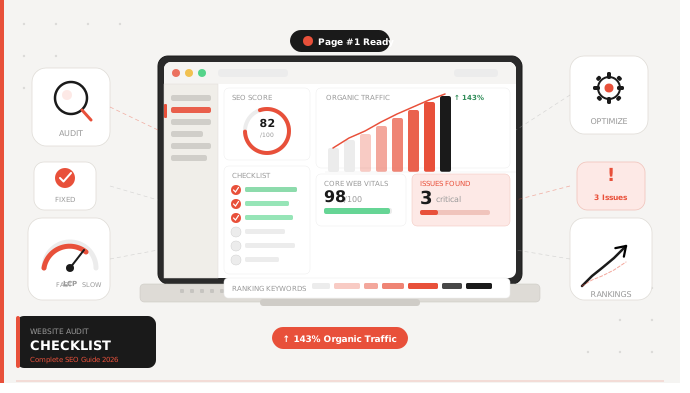
Running a website audit checklist is one of the highest-ROI activities any SEO professional or site owner can do. If your traffic has stalled, your rankings have dropped, or your conversions are underperforming, a systematic audit will tell you exactly why — and exactly what to fix.
In this guide, you’ll get a complete, actionable website audit checklist covering technical SEO, on-page optimisation, content quality, UX, conversion rate optimisation, and off-page signals. No fluff. No theory. Just a step-by-step process you can run today.
What is a website audit? A website audit is a comprehensive analysis of all factors that affect a site’s search visibility, user experience, and conversion performance. Done correctly, it surfaces critical issues blocking your growth and creates a prioritised action plan.
What Is a Website Audit?
A website audit is a structured review of your site’s technical infrastructure, content quality, SEO health, and user experience. It’s not a one-time task — it’s an ongoing process that keeps your site competitive in search results.
Why audits matter more in 2026:
- Google’s algorithm updates now reward sites that consistently demonstrate quality signals across technical, content, and UX dimensions.
- Core Web Vitals are a confirmed ranking factor, meaning slow or unstable pages lose ground to competitors.
- AI-generated content has flooded SERPs, making content depth and EEAT signals more critical than ever.
- Mobile-first indexing is universal — sites with poor mobile performance are indexed at a disadvantage.
A thorough website SEO audit checklist addresses all of these dimensions in one systematic pass.
Complete Website Audit Checklist
Use this technical website audit checklist as your master reference. Work through each section in order — technical issues must be resolved before on-page or content fixes will have full effect.
Technical SEO Audit Checklist
Technical SEO is the foundation. No amount of great content will rank if search engines can’t properly crawl, render, and index your pages.
Crawlability
- Review
robots.txt— confirm you’re not accidentally blocking important pages or directories - Verify your XML sitemap is present, error-free, and submitted to Google Search Console
- Ensure sitemap includes only canonical, indexable URLs (no noindex pages, no redirects)
- Check crawl budget — use Screaming Frog or Google Search Console’s crawl stats report to identify wasteful crawl paths
Indexing
- Use
site:yourdomain.comin Google to get a rough indexed page count - Audit Google Search Console’s Coverage report for Index errors, Excluded pages, and Warnings
- Identify and fix pages blocked by
noindextags unintentionally - Check for orphan pages (pages with no internal links pointing to them)
Site Speed & Core Web Vitals
- Run Google PageSpeed Insights on your top 10 highest-traffic pages
- Measure Largest Contentful Paint (LCP) — target under 2.5 seconds
- Measure Cumulative Layout Shift (CLS) — target under 0.1
- Measure Interaction to Next Paint (INP) — target under 200ms
- Compress and properly size all images (WebP format preferred)
- Enable browser caching and server-side compression (Gzip/Brotli)
- Audit and reduce third-party scripts (tag managers, chat widgets, ad pixels)
Mobile Responsiveness
- Test all key pages in Google’s Mobile-Friendly Test
- Confirm tap targets are properly spaced (minimum 48px)
- Check that font sizes are readable on mobile without zooming
- Verify no horizontal scroll exists on any page
HTTPS Security
- Confirm your SSL certificate is valid and not expiring within 30 days
- Ensure all internal links use HTTPS (no mixed content warnings)
- Verify all HTTP URLs redirect to HTTPS (301 redirect, not 302)
- Check for secure cookies and proper security headers (HSTS, CSP)
Broken Links & Redirects
- Crawl your entire site with Screaming Frog to identify all 404 errors
- Fix or redirect all broken internal links
- Audit all 301/302 redirects — fix redirect chains (A→B→C should be A→C)
- Identify and reclaim value from broken external backlinks pointing to 404 pages
Structured Data
- Implement schema markup appropriate to your content type (Article, Product, FAQ, LocalBusiness, etc.)
- Validate all structured data in Google’s Rich Results Test
- Monitor Search Console for structured data errors or warnings
- Ensure structured data is consistent with visible on-page content
On-Page SEO Audit Checklist
On-page SEO directly controls how search engines understand and rank each individual page. This section of the on-page SEO audit covers the elements with the highest ranking impact.
Title Tags
- Every page has a unique title tag
- Primary keyword appears in the title, ideally near the front
- Title tags are between 50–60 characters to avoid truncation in SERPs
- Titles are written for click-through, not just keyword matching
Meta Descriptions
- Every key page has a custom meta description (not auto-generated)
- Meta descriptions are 140–160 characters and include the target keyword
- Each meta description has a clear value proposition and call to action.
- No duplicate meta descriptions across pages
Header Structure
- Each page has exactly one H1 tag containing the primary keyword
- H2 and H3 tags are used to logically organize content (not just for styling)
- Header hierarchy is sequential (no skipping from H1 to H4)
- Headers include semantic keyword variations to reinforce topical relevance
Keyword Optimization
- Primary keyword appears in the first 100 words of the page
- Keyword density feels natural — target 1–2% without forced repetition
- Semantic keywords and LSI terms are used throughout
- URL slug includes the target keyword and is concise (no stop words)
Internal Linking
- Every important page receives at least 3–5 internal links from relevant content
- Internal links use descriptive anchor text (not “click here”)
- No pages exist with zero internal links (orphan pages)
- Pillar pages link out to cluster content, and cluster pages link back to pillar
Image Optimization
- All images have descriptive, keyword-relevant
alttext - Image filenames are descriptive (not
IMG_4821.jpg) - Images are compressed and served in next-gen formats (WebP)
- No images are missing alt tags (affects accessibility and SEO)
Content Audit Checklist
A website performance audit is incomplete without a content review. Poor content quality is frequently the root cause of ranking stagnation.
Thin Content
- Identify pages with under 300 words that receive no organic traffic — consider merging, expanding, or removing them
- Flag pages that merely restate what’s already on other pages without adding unique value
- Audit product/category pages for thin template-based descriptions
Duplicate Content
- Use Screaming Frog or Siteliner to find duplicate or near-duplicate pages
- Confirm canonical tags are correctly implemented on paginated content
- Check that printer-friendly or filtered pages aren’t creating duplicate versions
- Audit URL parameters in Google Search Console to control how parameters are handled
Content Freshness
- Identify posts older than 18 months that rank for high-value keywords — update them
- Refresh statistics, examples, screenshots, and publication dates on evergreen content
- Add “last updated” schema markup to signal freshness to search engines
Search Intent Alignment
- For each top-traffic page, verify the content type matches search intent (informational, commercial, transactional)
- Ensure landing pages for commercial keywords have a clear conversion path
- Review pages with high impressions but low CTR — the title/description may be misaligned with intent
UX & Design Audit Checklist
Google’s Helpful Content system and user engagement signals mean UX is now a direct SEO factor. This UX audit checklist targets the elements most correlated with dwell time and return visits.
Navigation Clarity
- Main navigation is visible and accessible within one click from any page
- Breadcrumb navigation is present on deep content pages
- Site search is available and returns relevant results
- Footer navigation includes links to important pages (privacy policy, contact, sitemap)
Mobile UX
- Critical CTAs are visible above the fold on mobile
- Forms are easy to complete on mobile (large inputs, no autocomplete friction)
- Pop-ups on mobile don’t trigger Google’s intrusive interstitial penalty
- Page loads in under 3 seconds on a simulated 4G connection
CTA Placement
- The primary CTA is above the fold on high-value landing pages
- CTAs use action-oriented language (“Start Free Trial”, not “Submit”)
- CTA buttons have sufficient contrast ratio (minimum 4.5:1)
- CTAs are repeated at logical points throughout long-form content
Readability
- Body font size is 16px or larger
- Line height is 1.5–1.8× for comfortable reading
- Paragraphs are short (3–5 lines max) with white space between sections
- Flesch-Kincaid reading level is appropriate for your target audience
Conversion optimisation audit
This section sits at the intersection of SEO and business performance.
Landing Page Optimization
- Every paid and organic landing page has a single, clear objective
- Above-the-fold content communicates the core value proposition within 5 seconds
- Hero sections include a headline, sub-headline, and CTA without requiring scroll
- Page speed for landing pages is prioritized (LCP under 2.0 seconds)
Funnel Tracking
- Google Analytics 4 has goals/conversions properly configured
- Funnel visualization is set up to identify drop-off points
- UTM parameters are used consistently for all external traffic sources
- Micro-conversions (form starts, scroll depth, video plays) are tracked
Form Optimization
- Forms request only the minimum fields required to convert
- Inline validation provides real-time feedback on errors
- Thank-you pages fire conversion events in GA4
- Multi-step forms show progress indicators
Trust Signals
- Social proof (reviews, testimonials, case studies) appears on key landing pages
- Security badges and payment logos are visible near purchase CTAs
- “As seen in” or media mentions are featured prominently
- Privacy policy and data handling are clearly communicated near forms
Off-Page SEO Audit
Off-page factors remain among the strongest ranking signals Google uses.
Backlink Quality
- Pull your full backlink profile from Ahrefs or SEMrush
- Identify your top 20 referring domains by authority and traffic
- Flag links from low-quality, spammy, or irrelevant domains
- Identify competitor backlink sources you haven’t yet targeted
Toxic Links
- Identify links with spammy anchor text patterns (exact-match keyword stuffing)
- Flag links from penalized domains, private blog networks (PBNs), or link farms
- Use Google’s Disavow Tool (cautiously) for confirmed toxic links that can’t be removed manually
Domain Authority Signals
- Monitor your Domain Rating (Ahrefs) or Domain Authority (Moz) trend over time
- Actively pursue unlinked brand mentions (use Google Alerts or Ahrefs Content Explorer)
- Build topical authority through digital PR, guest posts, and expert citations
Website Audit Tools You Should Use
| Tool | Best For | Cost |
|---|---|---|
| Google Search Console | Indexing, coverage, Core Web Vitals, search performance | Free |
| Google Analytics 4 | Traffic analysis, conversion tracking, user behavior | Free |
| Screaming Frog SEO Spider | Full site crawl, broken links, redirect audits | Free up to 500 URLs / Paid |
| Ahrefs | Backlink analysis, keyword gaps, site audit | Paid |
| SEMrush | All-in-one site audit, position tracking, competitor analysis | Paid |
| Google PageSpeed Insights | Core Web Vitals, speed optimization recommendations | Free |
| Moz Pro | Domain authority, link explorer, on-page grader | Paid |
| Siteliner | Duplicate content detection, broken links | Free |
Start with the free stack — GSC, GA4, Screaming Frog (free tier), and PageSpeed Insights — before investing in paid tools. They surface 80% of critical issues for most sites.
Step-by-Step Website Audit Process
Use this workflow to run a complete website performance audit from start to finish.
Step 1: Crawl the Website. Run Screaming Frog against your full domain. Export all URLs, response codes, titles, meta descriptions, and H1s. This becomes your master audit spreadsheet.
Step 2: Analyze Technical SEO Cross-reference the crawl data against Google Search Console’s Coverage and Core Web Vitals reports. Prioritise: crawl errors → indexing issues → speed problems.
Step 3: Fix Indexing Issues Resolve all 404 errors, fix crawl blocks in robots.txt, submit an updated sitemap, and ensure all important pages are canonicalised correctly.
Step 4: Optimize On-Page SEO Work through your top 20 organic landing pages first. Fix titles, meta descriptions, header structures, and internal linking. Then work down the priority stack.
Step 5: Improve Content Gaps Use Google Search Console’s Performance report to find pages with high impressions but low clicks or pages with ranking positions 5–15 (prime candidates for optimisation). Update, expand, or consolidate as appropriate.
Step 6: Run UX Review Use Microsoft Clarity, Hotjar, or Google Analytics behaviour flow to identify drop-off pages. Fix navigation issues, improve CTA visibility, and reduce friction on conversion paths.
Step 7: Monitor Performance Set up automated weekly crawls in Screaming Frog or Ahrefs Site Audit. Track rankings, Core Web Vitals, and conversion rates month-over-month. A site health check should become a monthly habit.
Common Website Audit Mistakes to Avoid
Ignoring Mobile Optimization Over 60% of Google searches happen on mobile. If your mobile CWV scores are failing while desktop scores pass, you are losing rankings — Google uses mobile-first indexing.
Not Fixing Broken Links Broken internal links waste crawl budget, create poor user experiences, and signal low site quality. Broken external links pointing to your site waste potential link equity. Both are easy wins.
Ignoring Core Web Vitals, LCP, CLS, and INP are direct ranking factors. Sites in the “Poor” threshold for any metric consistently underperform competitors in the “Good” range, all else being equal.
Overlooking Internal Linking Internal links pass PageRank, define site architecture, and help Google understand topical relationships. Sites with poor internal linking consistently underperform despite having quality content.
Running a One-Time Audit A single audit captures a snapshot. Algorithms change, content gets stale, and new technical issues emerge with site updates. Quarterly audits are the minimum; monthly monitoring is ideal.
Prioritizing Vanity Metrics Traffic volume is not the goal. Focus on organic sessions from target keywords, conversion rate, and revenue-attributable organic traffic. These are the metrics that justify SEO investment.
Final Website Audit Checklist (Quick Reference Summary)
Technical SEO
- robots.txt reviewed and correct
- XML sitemap submitted and error-free
- Google Search Console coverage errors resolved
- Core Web Vitals (LCP, CLS, INP) in “Good” range
- Site fully mobile-responsive
- HTTPS active, no mixed content
- All 404 errors fixed or redirected
- No redirect chains
- Structured data validated
On-Page SEO
- Unique title tags on every page (50–60 characters)
- Custom meta descriptions (140–160 characters)
- One H1 per page with primary keyword
- Logical header hierarchy (H1→H2→H3)
- Keyword in first 100 words
- Descriptive alt text on all images
- Internal links to/from all key pages
Content
- Thin content removed, merged, or expanded
- Duplicate content resolved with canonical tags
- Stale content refreshed (statistics, dates, examples)
- All pages aligned with searcher intent
UX & Design
- Clear, accessible navigation
- Breadcrumbs on deep pages
- Above-fold CTAs on key pages
- Mobile UX passes Google’s test
- Font size ≥16px, line height 1.5–1.8×
Conversion
- GA4 goals/conversions configured
- Funnel visualization set up
- Trust signals on landing pages
- Forms minimized and validated
Off-Page SEO
- Full backlink profile reviewed
- Toxic links disavowed
- Unlinked brand mentions claimed
- Competitor link gap analysis complete
Conclusion
A complete website audit checklist isn’t a one-and-done project. The sites that consistently dominate Page 1 treat auditing as an ongoing discipline — running crawls monthly, monitoring Core Web Vitals weekly, and refreshing content quarterly.
Start with the technical foundation. Fix crawl and indexing issues before touching content or backlinks. Then work systematically through on-page, content, UX, and off-page factors in priority order.
The compounding effect of fixing 30–40 issues across your site is often far greater than any single tactic. A thorough site health check followed by disciplined execution is what separates sites that plateau from sites that grow.
Run your audit. Build your fix list. Prioritise ruthlessly. Then repeat every quarter.